Math Questions, Images, and Custom Exam Layouts

Create mathematics-rich exam questions with PrimeExam for Windows. Enter mathematical expressions using the Symbol Editor, include images, and arrange question content with visual layout tools.

PrimeExam combines LaTeX and MathJax rendering with reusable layout templates and question-specific layouts, so educators can prepare questions for clear, consistent HTML and PDF exams.
Create mathematical expressions with the Symbol Editor

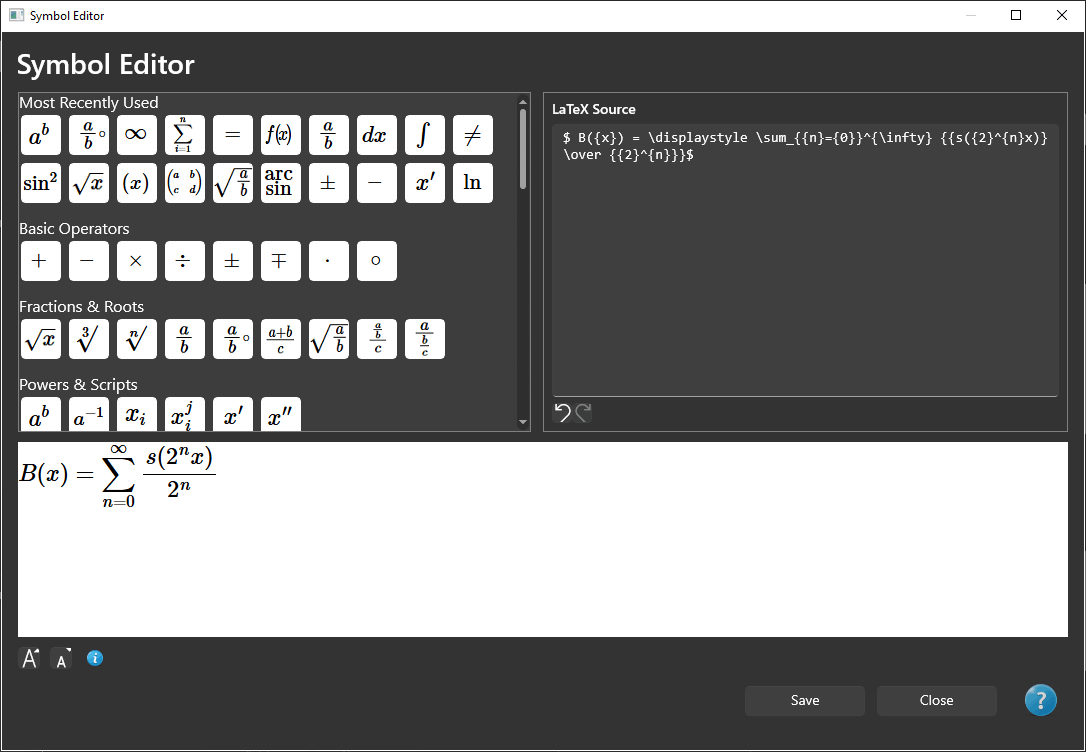
Use PrimeExam's Symbol Editor to enter mathematics with LaTeX. Built-in symbol buttons make it easier to insert common commands for fractions, roots, exponents, Greek letters, calculus, matrices, geometry, and other topics.

You can also type LaTeX commands directly or paste expressions from another source. PrimeExam uses MathJax to display the typeset mathematics in questions, answers, and previews.

PrimeExam Symbol Editor showing LaTeX input and a preview of a mathematical expression
Use the Symbol Editor to enter and preview mathematical notation. Select the image to view it full size.

Combine ordinary text with inline or display mathematics

Mathematical expressions can appear within sentences or as larger, centered equations. The Symbol Editor automatically inserts the appropriate math delimiters when creating expressions.

For users familiar with LaTeX, inline mathematics uses $...$, while display mathematics uses $$...$$. Text outside the delimiters stays ordinary text, allowing questions to combine explanations, formulas, and answer content.

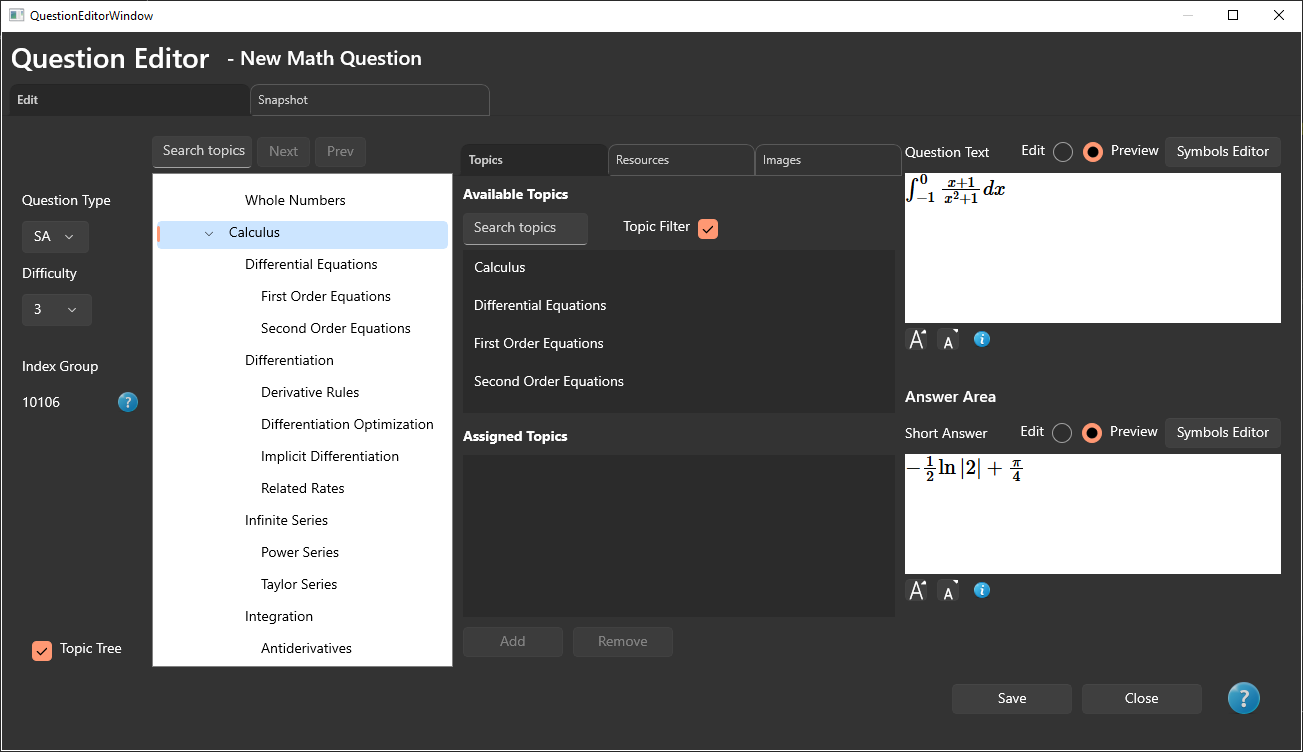
Editing a PrimeExam question containing mathematical notation
Work with mathematical expressions alongside the rest of the question content.

Include images and diagrams in question layouts

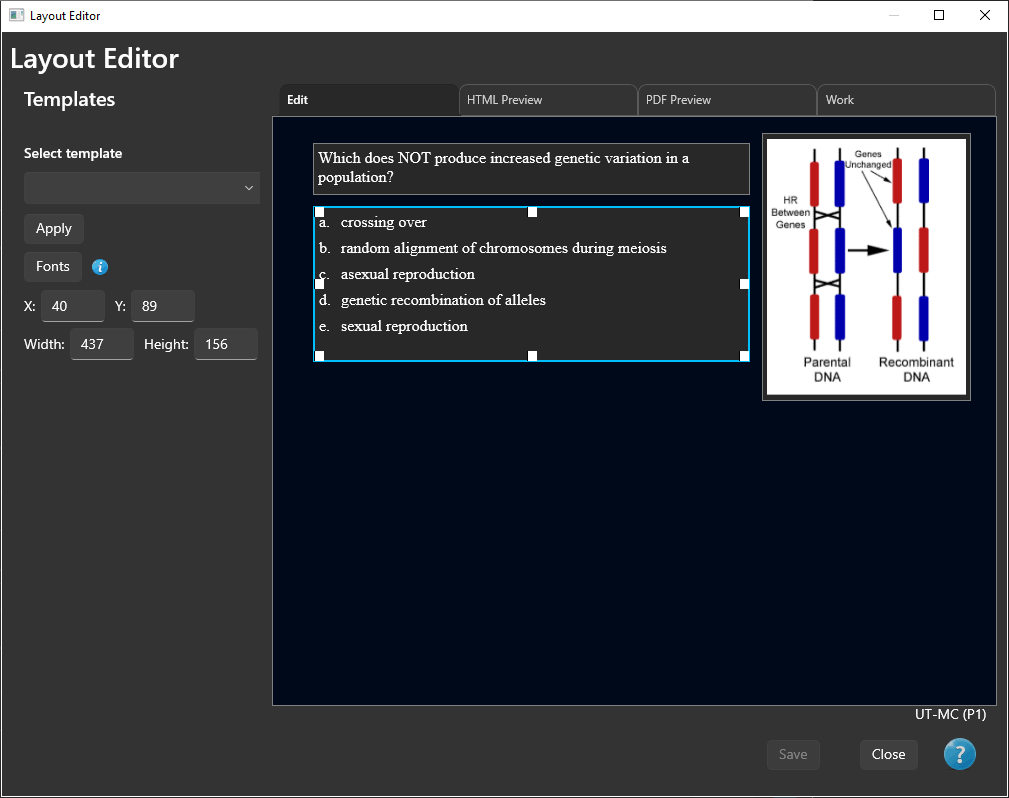
Questions can include images along with question text, answer choices, and answer areas. The Layout Editor controls the positions and sizes of these elements, helping you arrange visual material in a way that suits each question.

PrimeExam also provides an image-management workspace for working with images associated with questions.

PrimeExam Layout Editor arranging question text and an image
Arrange question text and images with the visual Layout Editor.

Reuse templates or customize an individual question

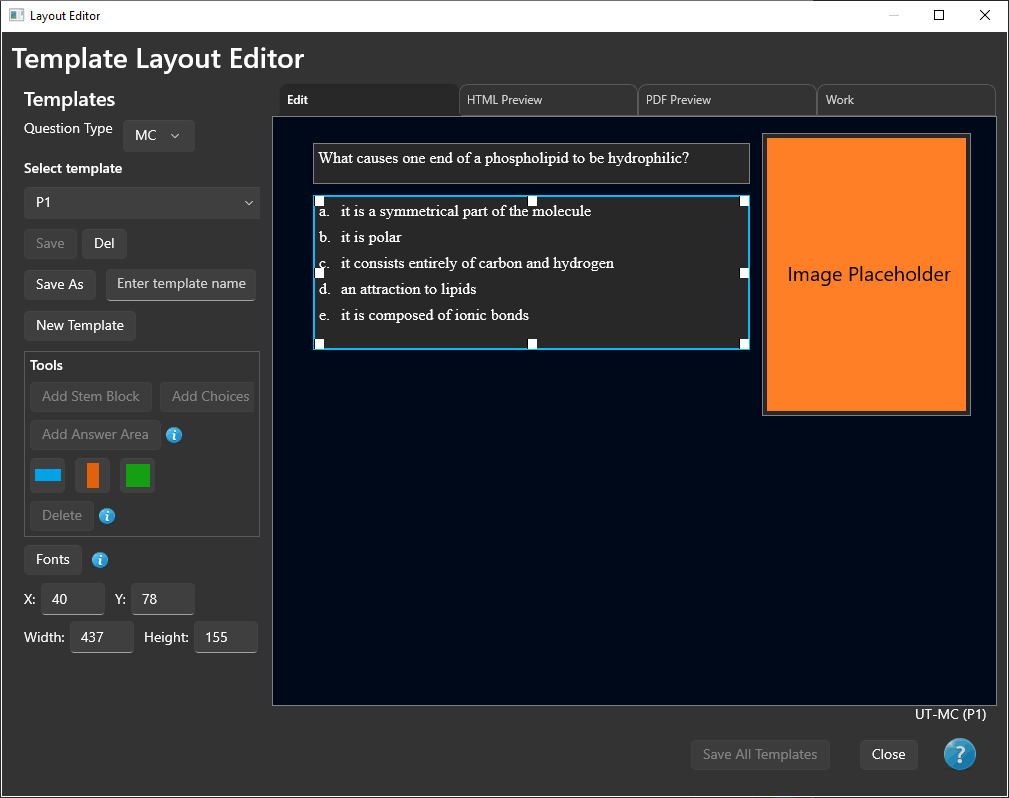
User-defined layout templates allow many questions to share a consistent arrangement. For a question that needs special treatment, create a question-specific layout override without changing its original template.

Layout overrides can also be applied to a question within a particular exam. This lets you adjust that exam's presentation without changing the question's layout elsewhere.

PrimeExam editor for reusable exam layout templates
Build reusable layout templates for a consistent presentation across questions.

Preview question layouts for HTML and PDF

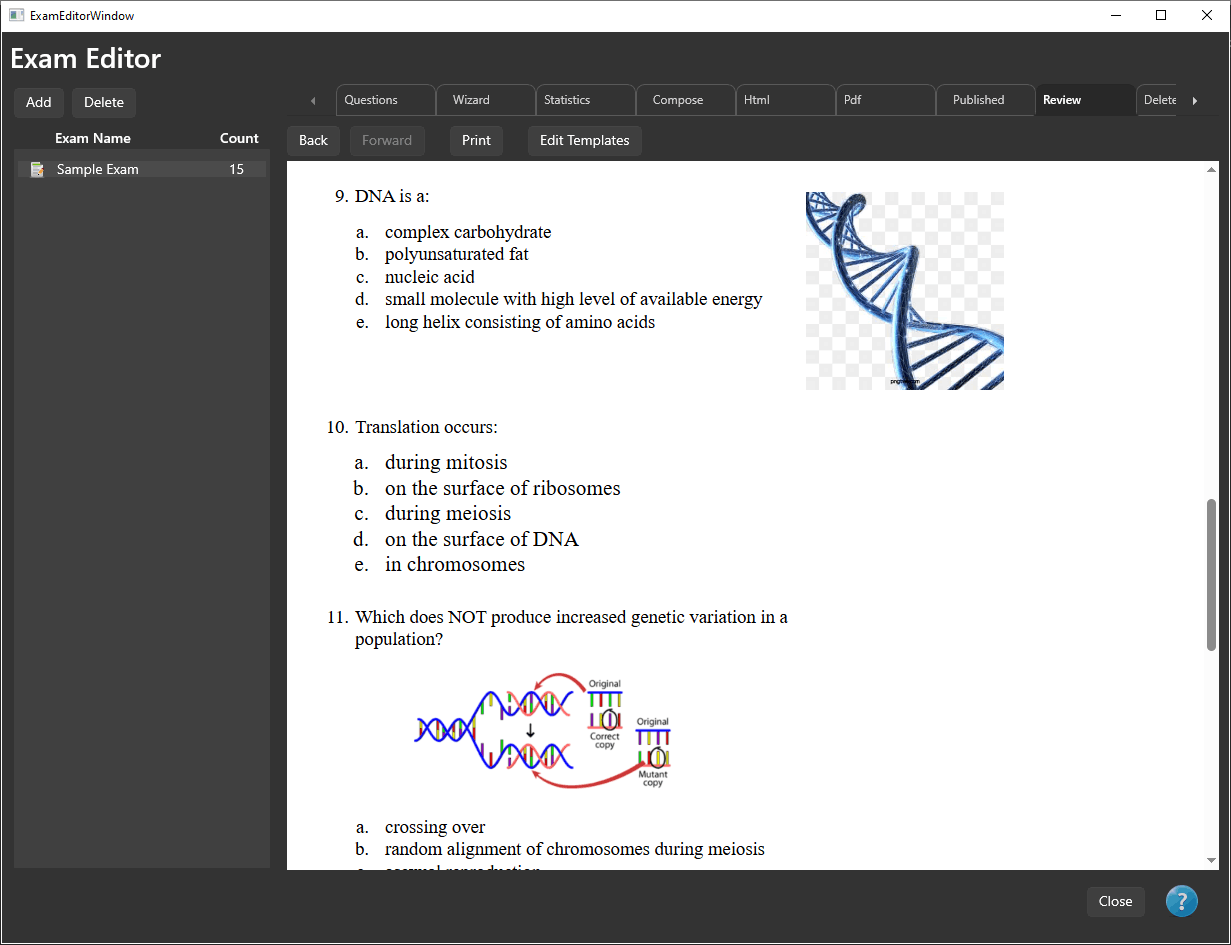
The Layout Editor includes HTML Preview and PDF Preview tabs so you can inspect how question content will appear before saving the layout. Adjust font settings for supported elements, such as question stems and answer choices, while reviewing the result.

About math font sizes: The font size control in the Symbol Editor changes its preview only. To change the size of mathematics in a published exam, use the applicable font settings in the Layout Editor.
PrimeExam reviewing generated HTML and PDF exams
Review the finished HTML and PDF output before distributing exams.

Learn more about question authoring

Explore the PrimeExam help documentation for details about the Symbol Editor, question layouts, and editing a question's layout.

Try PrimeExam for Windows

Explore tools for mathematical notation, question images, layouts, and exam publishing with the free trial available through the Microsoft Store.