
The Launch Pad helps new users become familiar with the most common PrimeExam tasks.
It is a learning and navigation tool. It does not complete tasks automatically. Instead, it opens the appropriate PrimeExam windows, highlights important controls, and guides you toward the steps needed to complete a task.
How the Launch Pad Works
When you select a task from the Launch Pad, PrimeExam may:
- Open the window needed for that task.
- Highlight the button, tab, or control to use next.
- Help you understand where a task begins.
- Show which parts of PrimeExam are involved.
The Launch Pad is especially useful when you are first learning PrimeExam or when you are performing a task you have not used recently.
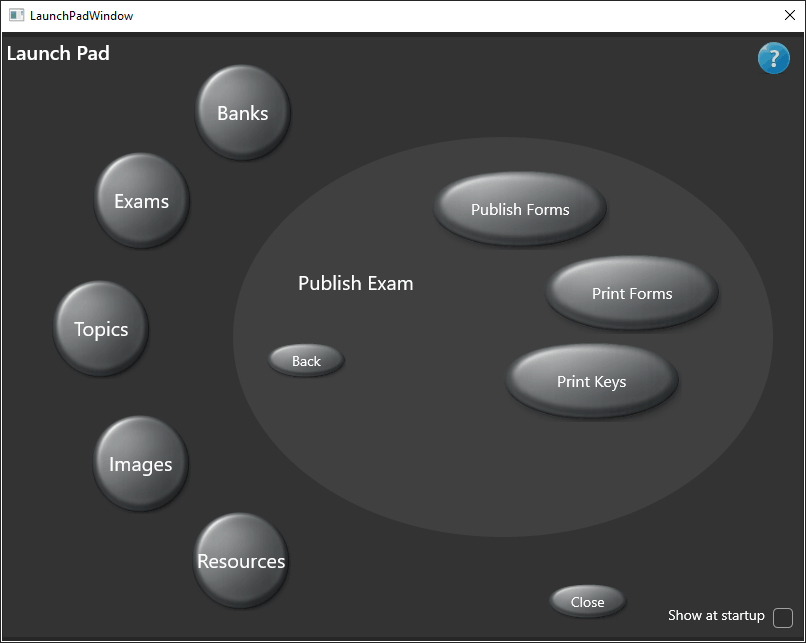
Question Banks
The Banks section helps you work with question banks.
Common tasks include:
- Creating question banks
- Editing question banks
- Importing question banks
For more information, see Question Bank Window.
Exams
The Exams section helps you create and manage exams.
Common tasks include:
- Creating exams
- Editing exams
- Composing exams
- Publishing exams
For more information, see Exam Editor.
Topics
The Topics section helps you manage topic groups and topic trees.
Common tasks include:
- Importing topic groups
- Activating topic groups
- Downloading additional topic groups
For more information, see Topic Editor.
Images
The Images section helps you manage images used in questions.
Common tasks include:
- Importing images
- Editing image information
- Assigning topics to images
For more information, see Image Editor.
Resources
The Resources section helps you manage textbooks, websites, articles, and other reference materials.
Common tasks include:
- Importing resources
- Editing resource information
- Assigning topics to resources
For more information, see Resource Editor.
Best Practices
Use the Launch Pad when you want help finding where a task begins.
As you become more familiar with PrimeExam, you may choose to open the individual windows directly. The Launch Pad remains available whenever you want a guided reminder of the main workflow.