HTML and PDF Exam Publishing for Teachers and Educators

Turn your PrimeExam compositions into finished HTML and PDF exams, complete with answer keys. Review each published form, print exams, or copy the generated files for distribution.

PrimeExam keeps creating and saving an exam composition separate from publishing. A composition preserves the selected forms and their question and answer-choice order; publishing generates the files that educators can use.
Publish exam forms and answer keys

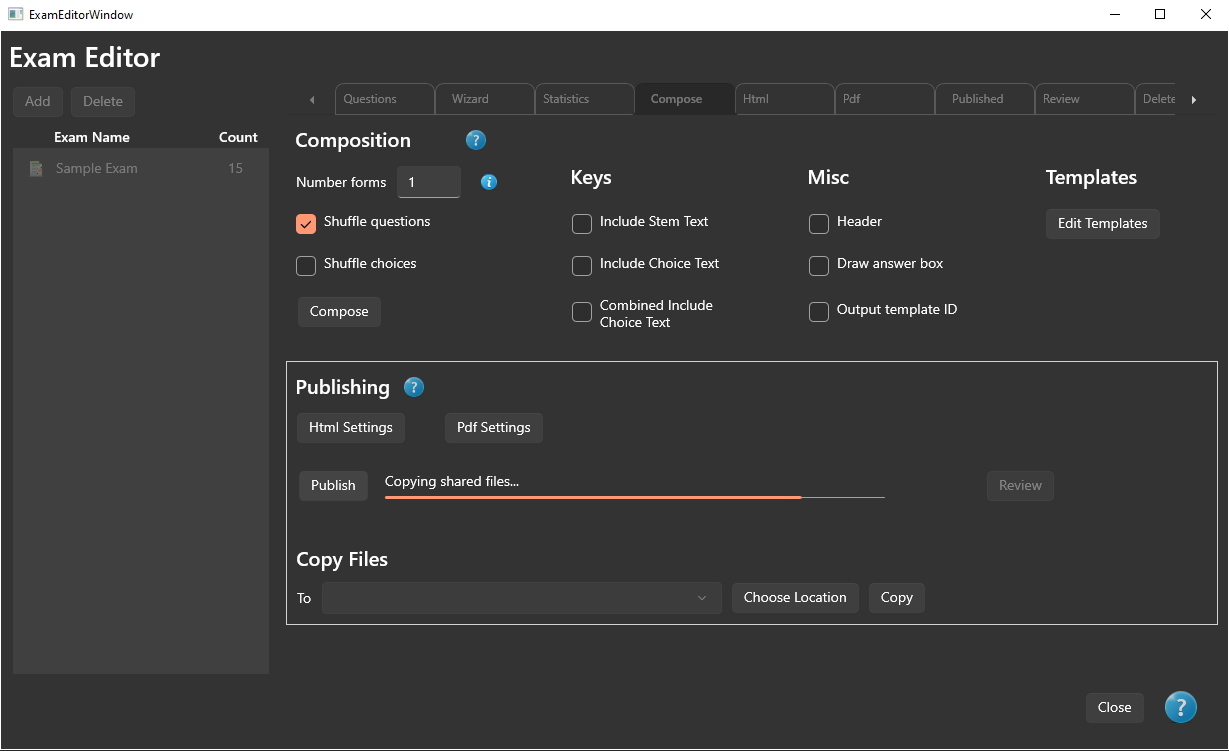
After creating or reopening a composition, review the publishing settings and select Publish in the Exam Editor. PrimeExam generates files associated with the loaded composition:

  • HTML exam files
  • PDF exam files
  • HTML answer keys
  • PDF answer keys

These files can then be reviewed, printed, or copied for distribution.

PrimeExam Exam Editor showing the exam publishing workflow
Publish an exam from the Exam Editor. Select the image to see it at full size.

Choose how HTML exams are presented

PrimeExam provides two HTML output formats, allowing educators to select the presentation that fits their needs.

All In One File

Write every question for an exam form into a single HTML document. This is suitable for viewing or printing an exam as one continuous document.

Separate Files

Write each question to its own HTML file. Automatically added navigation links let readers move forward and backward through the questions.

HTML settings also include left and right page margins and choice indentation, which affect the generated HTML exam forms.

Create print-ready PDF exam documents

PrimeExam generates one PDF document containing all questions for each exam form. PDF settings let you control the left and right page margins and choice indentation before publishing.

HTML and PDF settings are configured separately, so each output type can use an appropriate layout. Open the PDF tab or select PDF Settings from the Compose tab to make adjustments.

The documentation recommends printing from the PDF version when possible and checking page breaks and formatting before distributing an exam.

Save a composition once, publish it again later

Saving a composition stores its exam forms and question arrangements in the database. It does not create HTML or PDF output files.

When you're ready to publish, open the exam, select the saved composition from the Compositions list, review the settings, and click Publish. You can reopen and republish that composition later without recreating its forms.

Composition versus published files: The saved composition is the reusable source arrangement. HTML and PDF exams are generated output produced during the separate publishing step.

Review every exam form before distribution

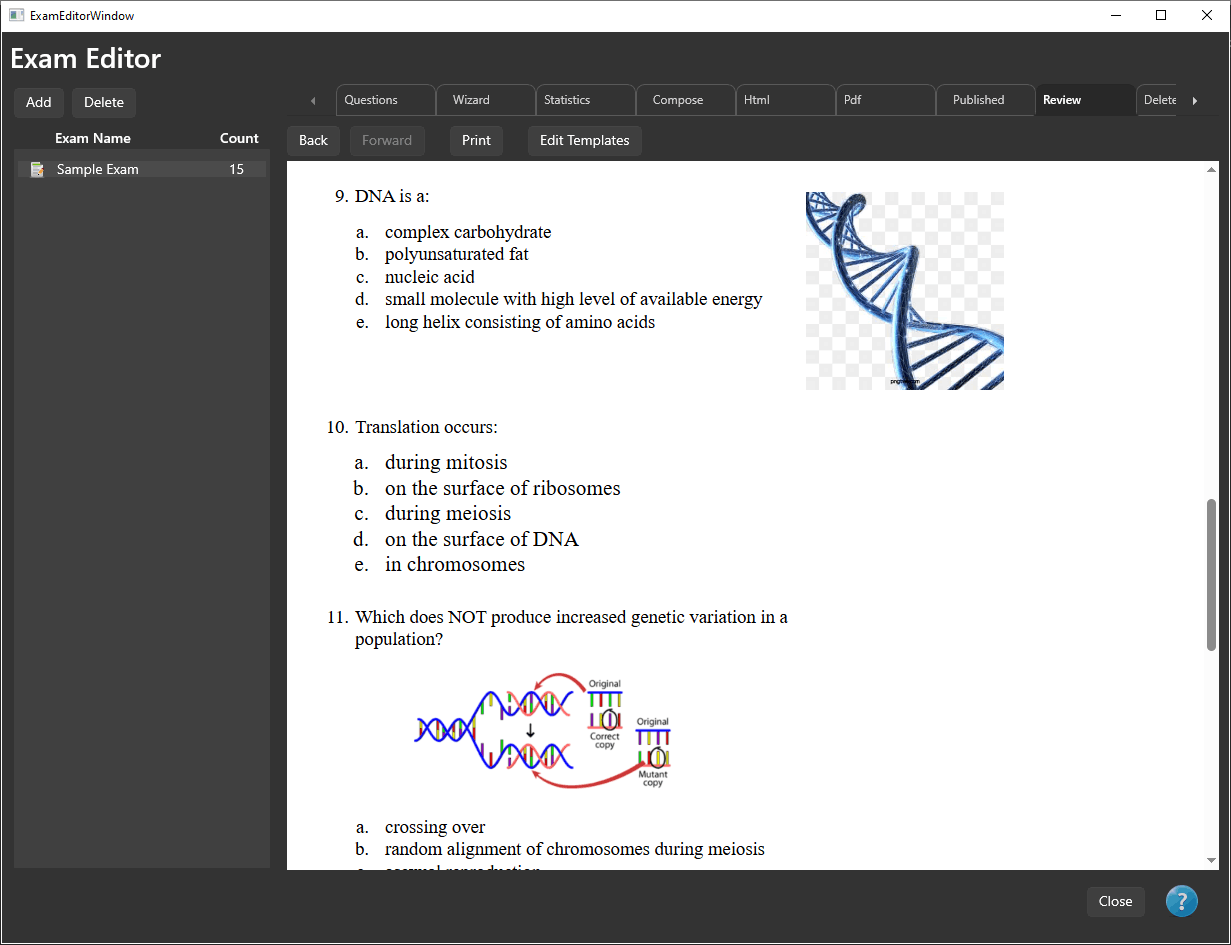
After publishing, open the Review tab to examine generated HTML and PDF files, view answer keys, and print the published exams.

Before administering an exam, check that all forms and answer keys are correct and that images, mathematical expressions, page breaks, and overall formatting appear as intended.

Reviewing HTML and PDF exam output in PrimeExam
Use the Review tab to verify published forms and answer keys.

Learn more about exam publishing

The PrimeExam help documentation explains how to save compositions, select HTML and PDF publishing settings, and review the finished output.

Try PrimeExam for Windows

Explore exam authoring, composition, and HTML/PDF publishing with the free trial available through the Microsoft Store.

Composition-management details described here reflect the current PrimeExam documentation, including V2 changes. Feature availability depends on the version installed.